Studyset-Specific Styles: Build Your Own Learning Space
💡Enable
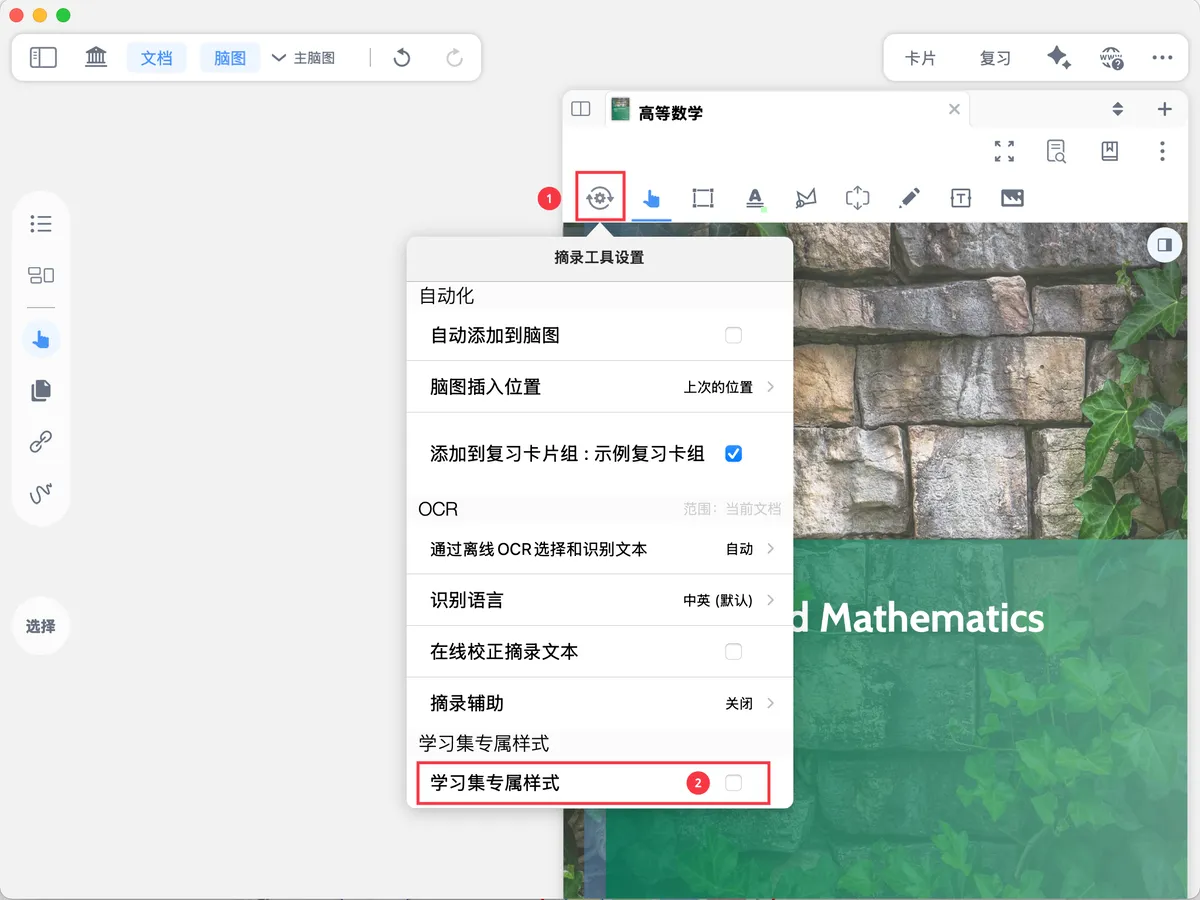
Studyset-Specific Stylesto customize a dedicated learning space for every study set, and to save and reuse your study habits:MarginNote's feature configurations are highly customizable: in each study set, you can choose the configuration that feels most natural and best fits your current needs.
Whether it's handwriting tools, excerpt colors, or your most-used menu bar buttons, all of these personalized configurations can be saved, exported, and imported. When you switch study sets, the tool configuration switches automatically, with no need to set things up again. You can also export your configuration with a single tap to share it, or import one to quickly reuse someone else's efficient study environment, lowering the startup cost of learning.
1 Enable Studyset-Specific Styles
- 🖼️ Image,
-
🖼️ Image
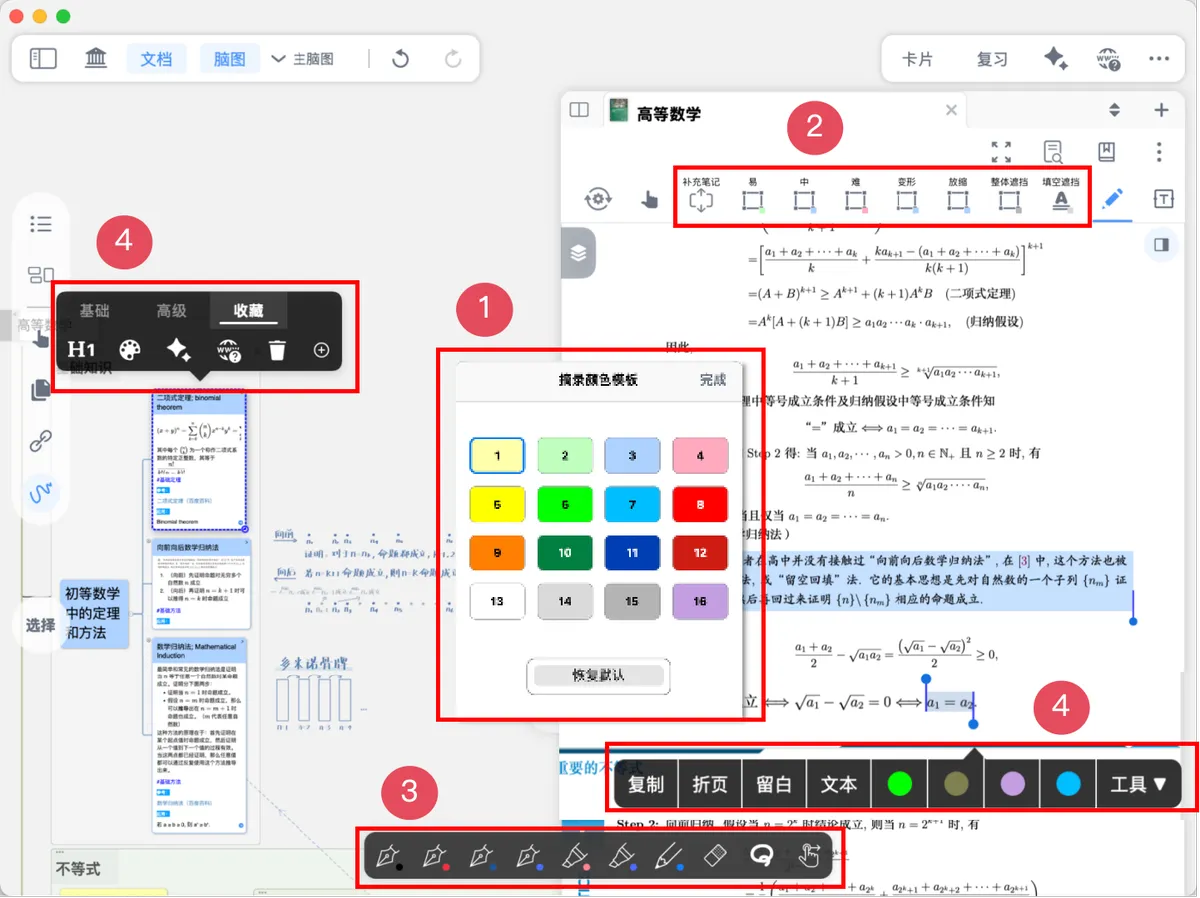
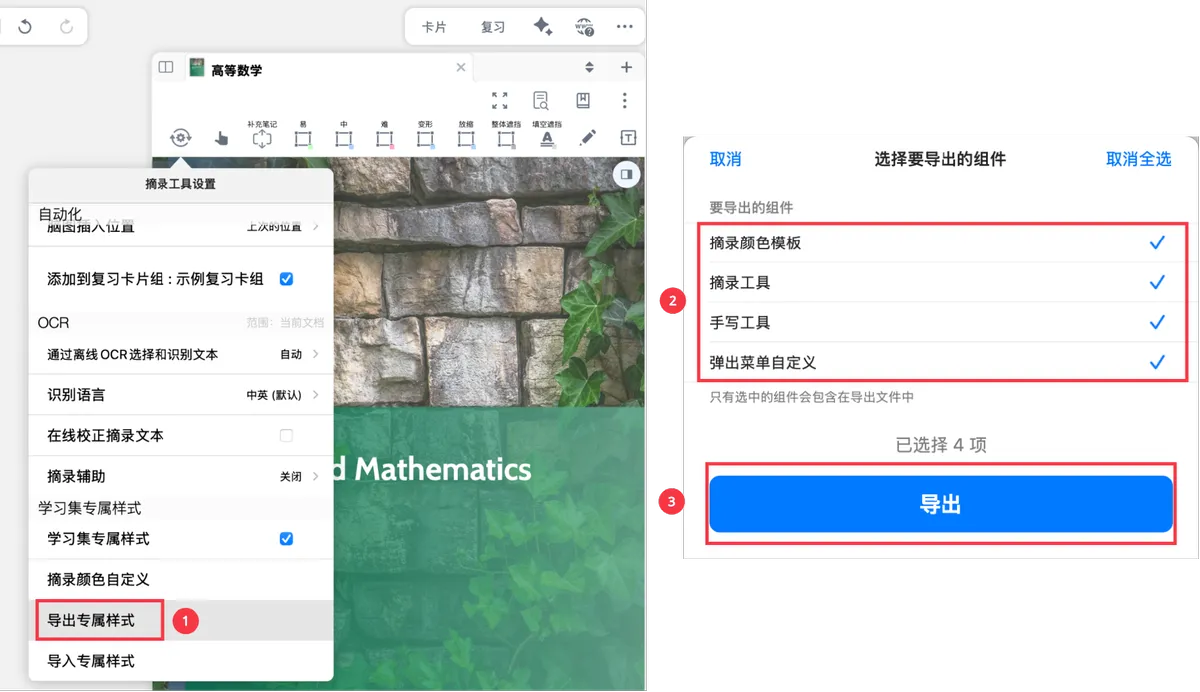
Excerpt Color Template: the colors of cards and excerpts; customizable. See: Customize Card and Excerpt ColorsExcerpt Tools: includes the text, rectangle, lasso, and extend note tools and their custom settings. See: Excerpt Tools and AutomationHandwriting Tools: the handwriting toolbar and its custom settings. See: Handwriting ToolbarPop-up Menu Customization: the favorites bar settings of the card pop-up menu bar, and the customization settings of the hand tool pop-up menu bar. See: Excerpt Pop-up Menu Bar and Customization, Hand Tool Pop-up Menu Bar and Customization
2 Export Topic Style
In Excerpt Tool Settings, tap Export Topic Style, select the components you want to export (all selected by default), and finally tap Export to generate a style file in .mbtoolstyle format. Store it somewhere convenient for reuse next time, or share it with others.
💡Later, when you create a new study set for a highly similar study scenario, you can import this configuration file directly to carry over your previous study habits, instead of setting everything up manually again.
3 Import Topic Style
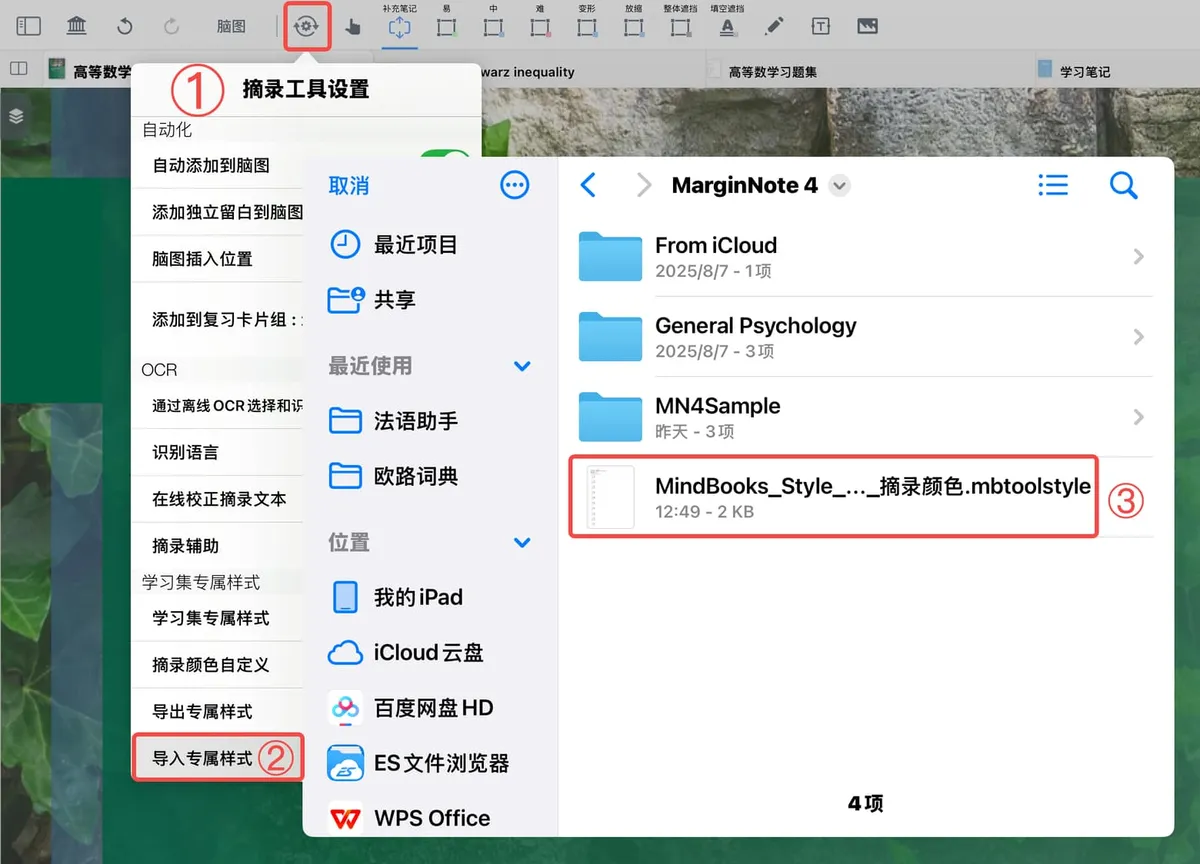
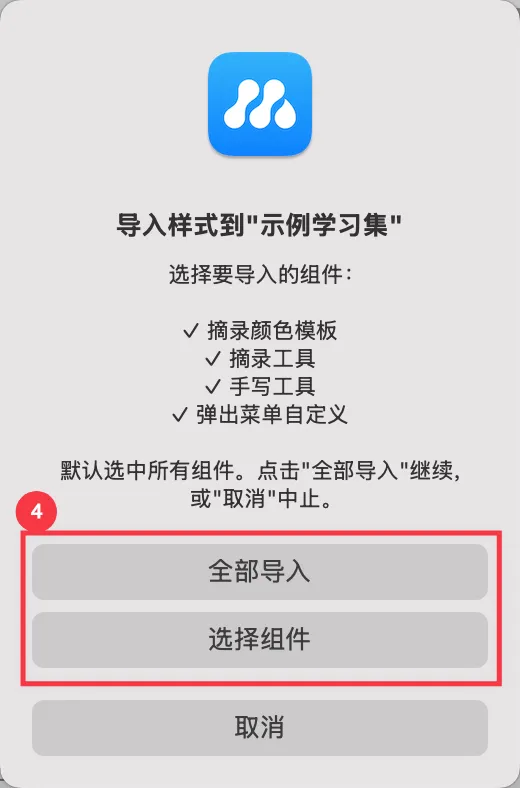
⚙️ Excerpt Tool Settings - Studyset-Specific Styles - Import Topic Style, select the style file (.mbtoolstyle), then choose the components to import.
💡Importing components cannot be undone! Please import with caution.