Third-Party App Integration ①: Understanding Note Backlinks
💡MarginNote 4 can generate two kinds of dedicated URLs—card URLs and interface URLs—to enable cross-platform integration with third-party apps and make it easy to share and collaborate on notes.
1 Generate & Get URLs
1.1 Generate & Get a Note Card URL
The URL tied to the unique ID of each MarginNote 4 card is likewise supported in third-party software. It is also a low-level mechanism of Apple's operating system, commonly known as a URL Scheme.
How to get a card's URL:
- Select a mind map card and press the shortcut
Shift+Command+Cto copy the current card's URL to the clipboard. -
Open the card editor → … More →
Copy Card URL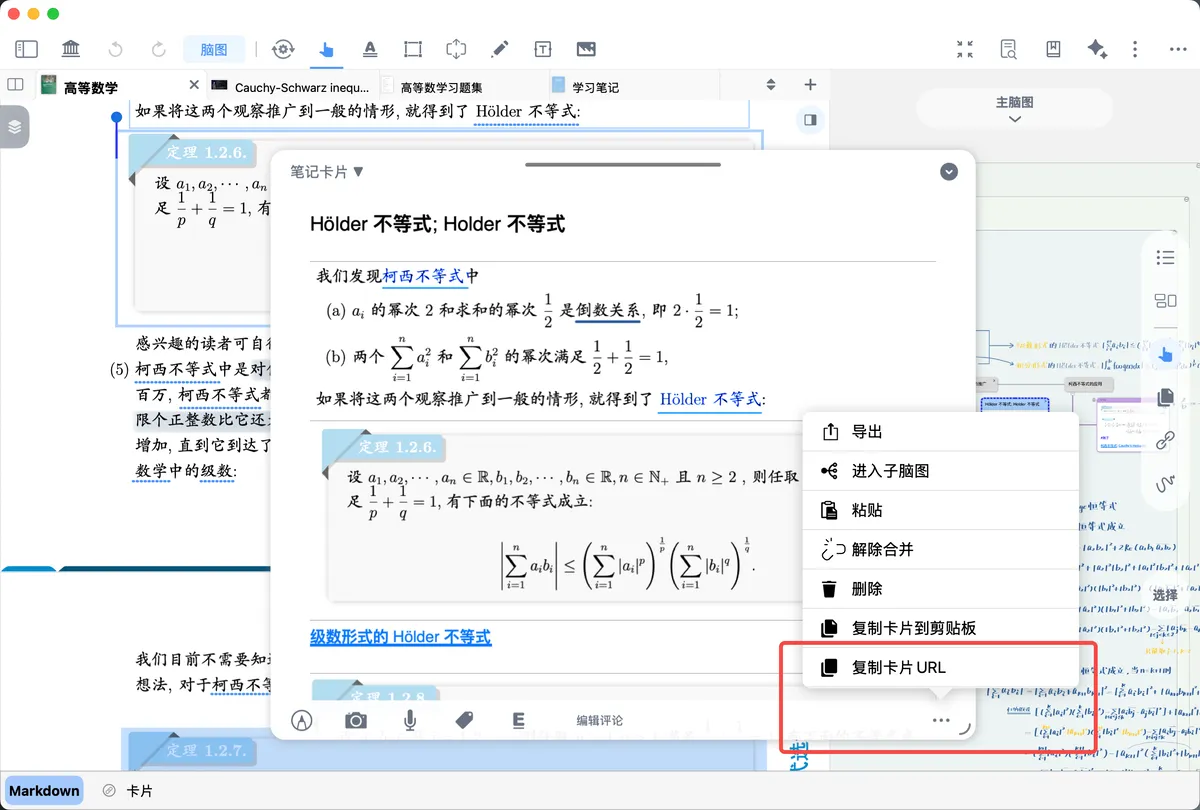
1.2 Generate & Get an Interface URL
MarginNote 4 can also capture the frozen state of the current interface, which is distinct from a card URL. A card URL only jumps to a note's content, whereas an interface URL additionally preserves the user's window size, proportions, the state of each toggle, and even the default values of certain views—ensuring that the viewer's interface closely matches the one the original user sees after clicking the URL.
Interface URLs are commonly used for tutorial demonstrations: an instructor records an interface URL in a study set and shares it with learners, who can then use the URL to reach the same interface as the instructor.
Note, however, that if a learner already has their own view configuration, it will be overwritten by the instructor's default values and will then need to be readjusted. (The interface URLs used in the official tutorials detect the tutorial-reading state and restore the user's own configuration once the tutorial is finished.)
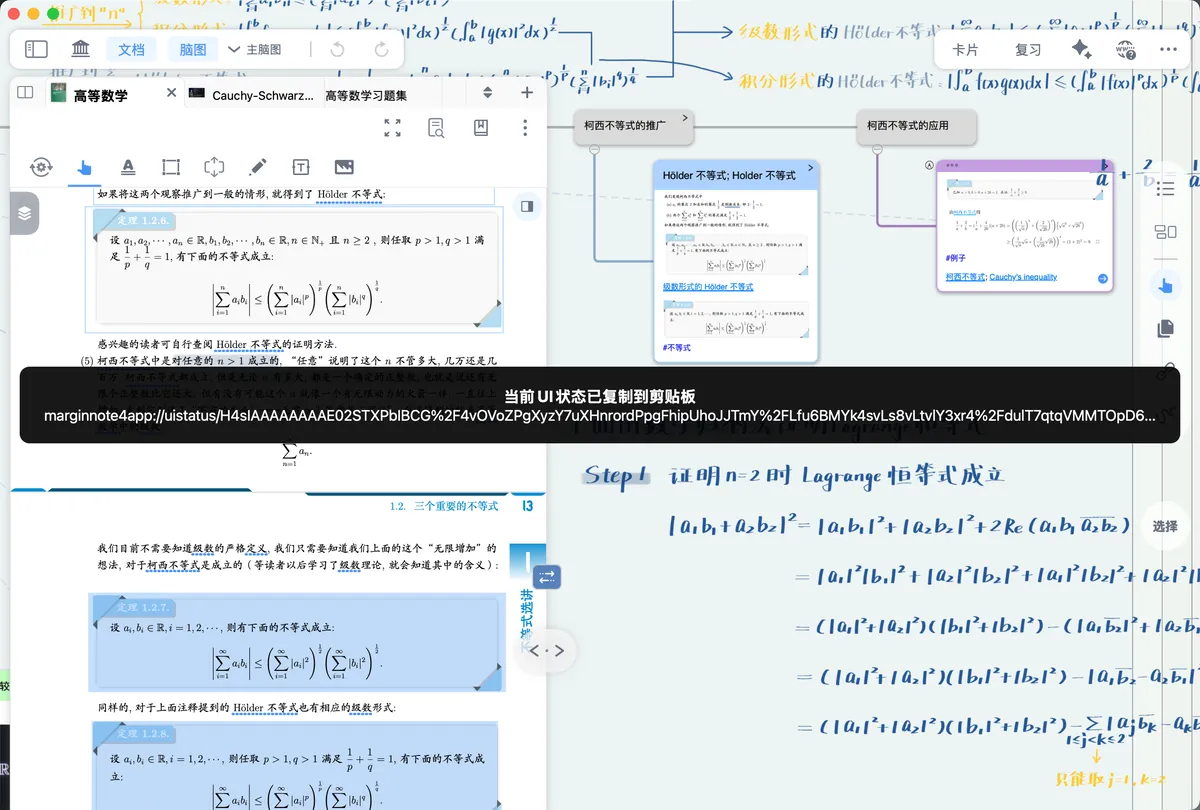
Getting the interface URL:
Press the shortcut Command+Option+0 to copy the current interface URL to the clipboard.
2 Export and Open in Third-Party Apps
💡When you export to any of the supported formats, including Word and PDF, each one contains a MarginNote 4 hyperlink. Clicking the link in third-party software, or opening it via Safari, jumps the interface to the corresponding location in your MarginNote 4 notes, helping you recall the surrounding knowledge points.
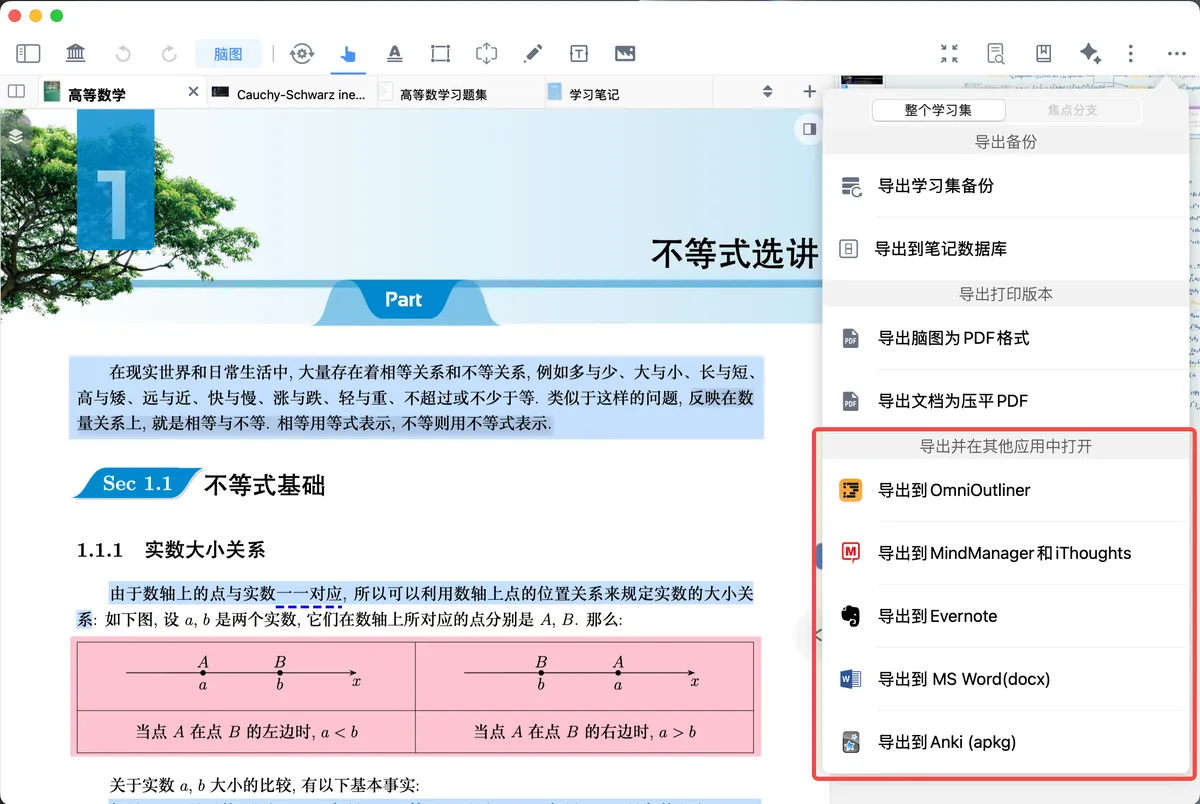
The example shows Word; other formats work similarly:
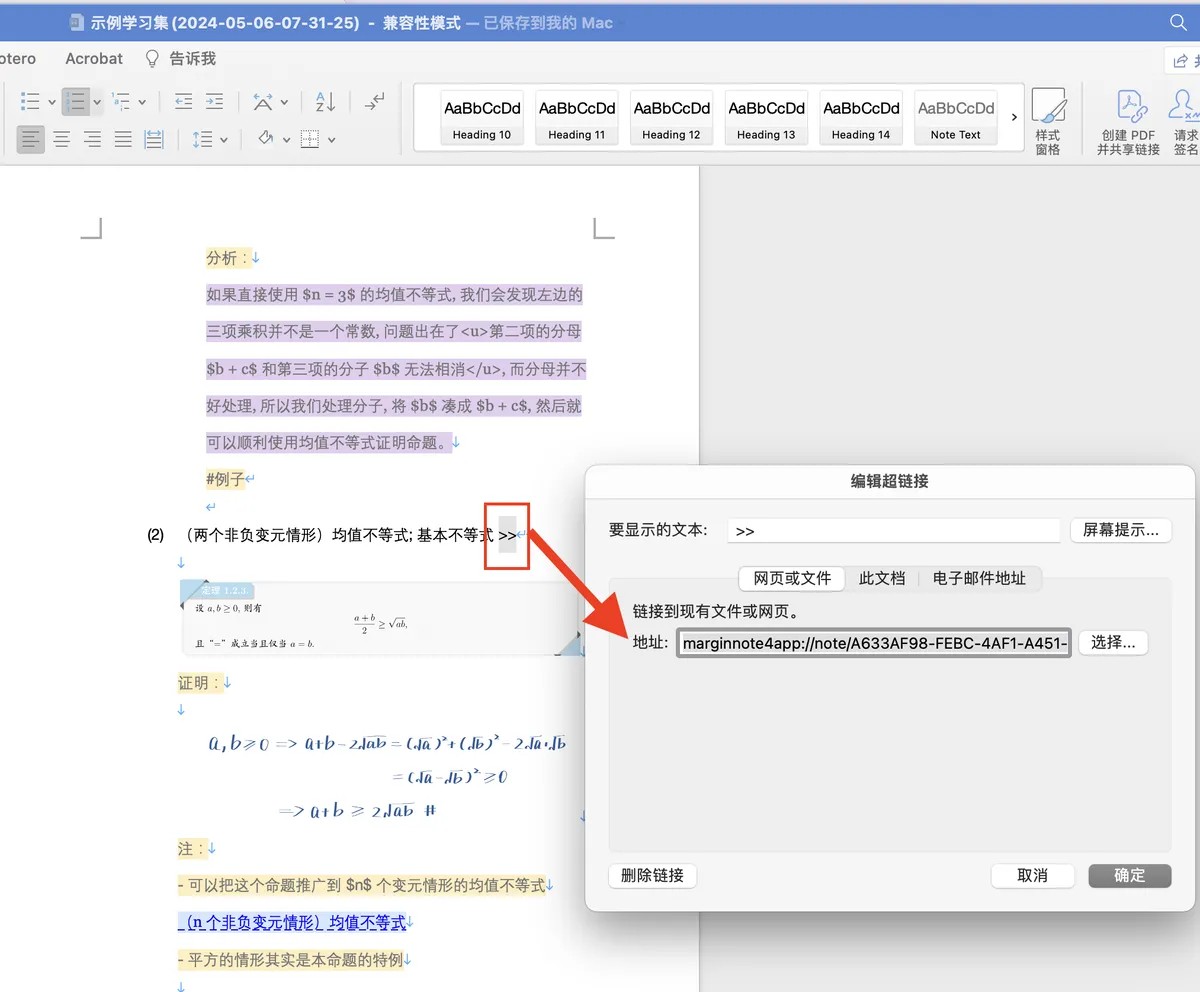
💡Your notes belong to you. Convert them into many formats and use the URL Scheme for two-way jumping, so that multiple apps can jump back and forth to the source text. Integrate with powerful tools such as DEVONthink, OmniOutliner, Tinderbox, Evernote, and OmniFocus to build your personal knowledge management system.

A Note-Taking System — How to Use MarginNote3, DEVONThink3, TheBrain11, and nvALT as a Single App
MarginNote and OmniFocus — How to Use MarginNote and OmniFocus for Reading-Task GTD
MarginNote and Typora - How to Write Reading Notes with MarginNote - 1.0 - How to Input Quickly
Keyboard Maestro — Marginnote Power Tricks
3 Cross-App Note-Syncing Plugins
Taking the Obsidian and Flomo plugins as examples, a note card is created simultaneously across two or more apps, each also carrying a globally available context backlink.
4 Apple Script
Coming Soon
AppleScript automation and JavaScript plugin extensions enhance MN's integration with many professional research tools, enabling uses such as data conversion, advanced export, automatic card-creation rules, and function computation.
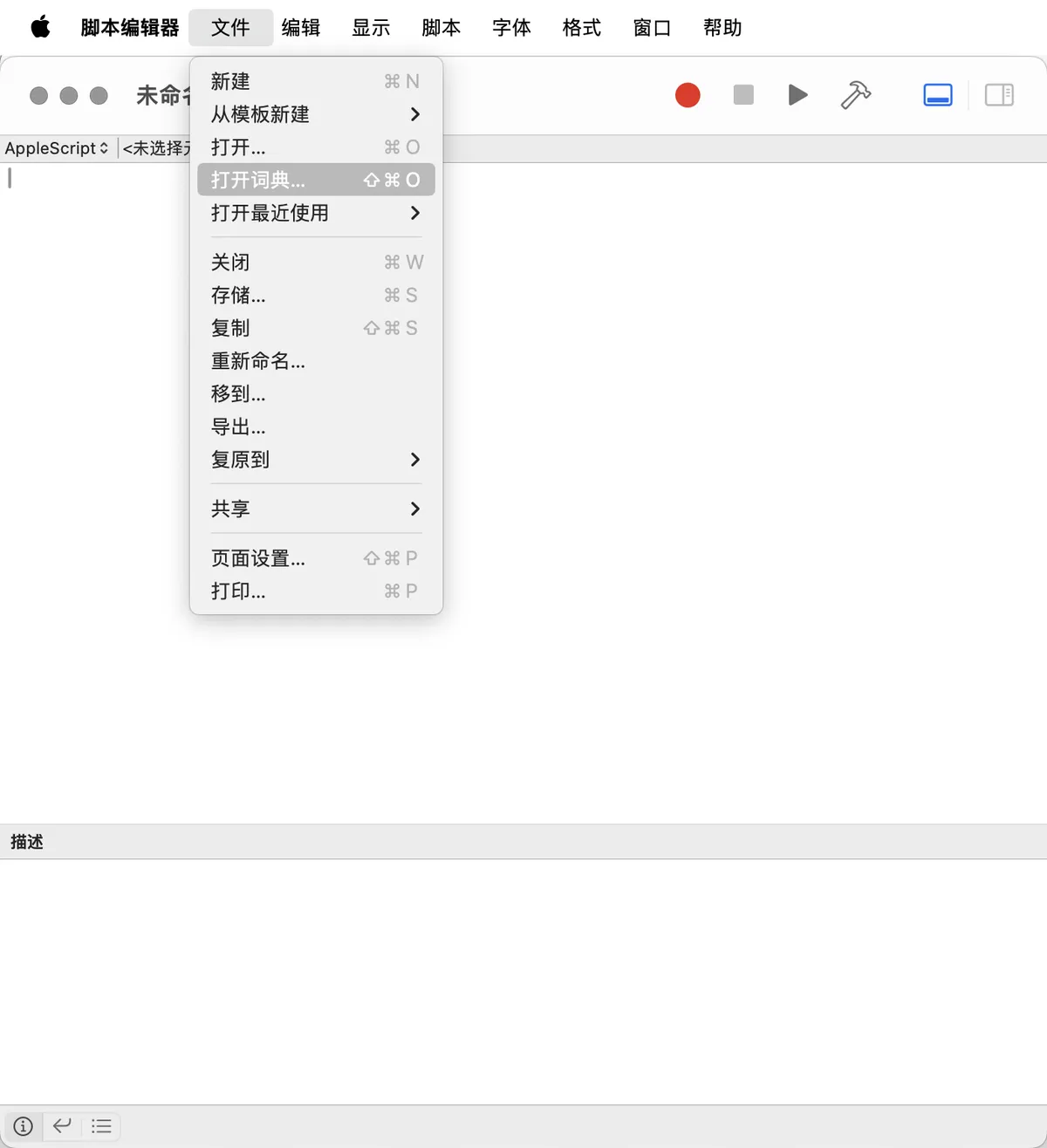
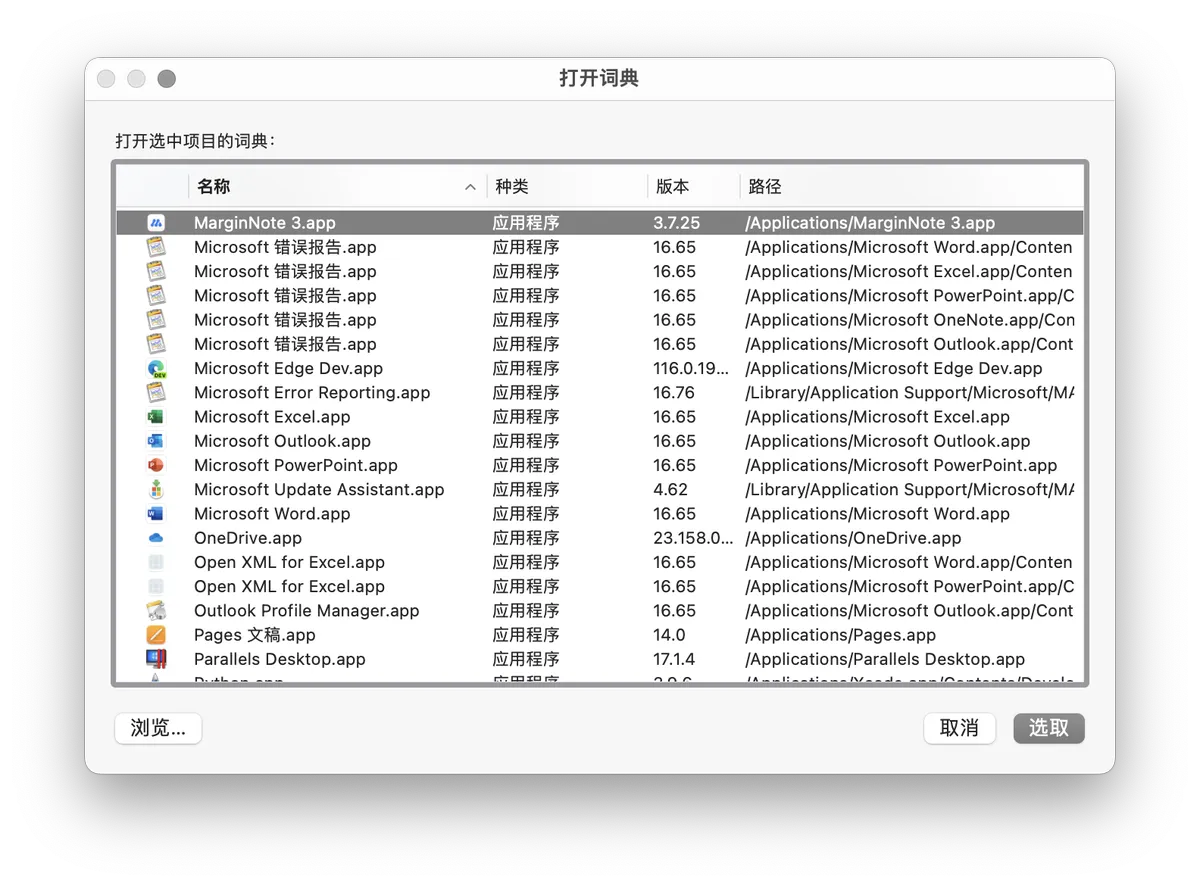
The latest Apple Script rules and syntax supported by MarginNote 4 can all be looked up through the dictionary feature of the system's built-in app, "Script Editor."