Customize Card Excerpt Colors
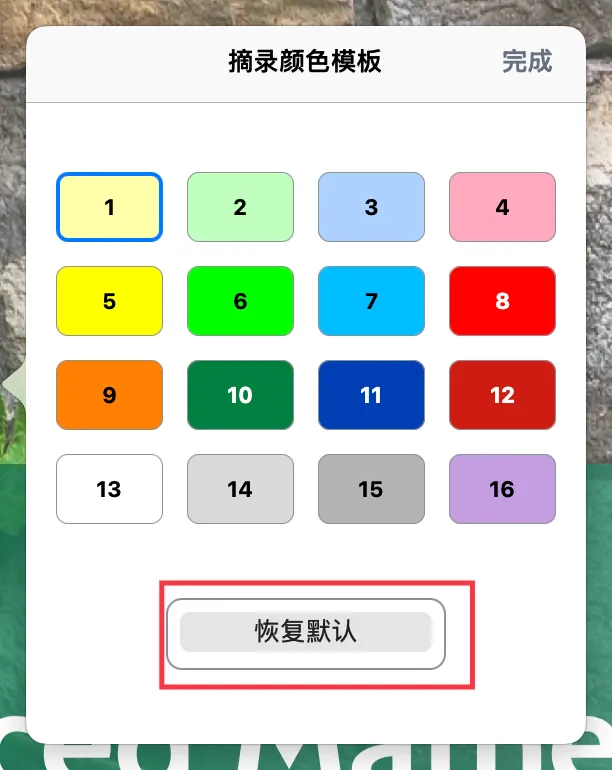
💡MarginNote's excerpt color template comes with 16 preset colors. You can modify them one by one to match your personal preferences, or import a color template that someone else has already configured to change them all at once.
1 Method 1: Manually Modify Colors One by One
- Tap
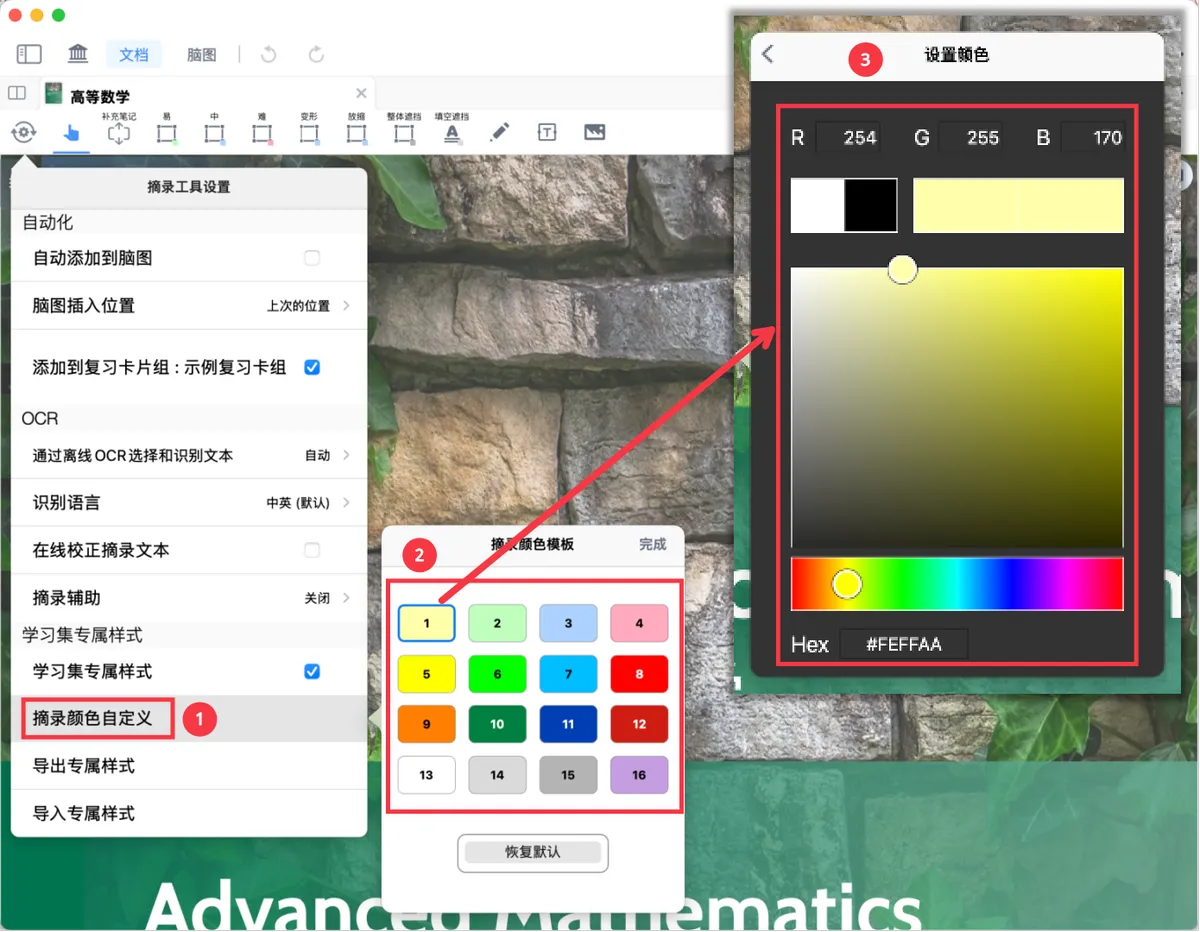
⚙️ Excerpt Tool Settings- turn onstudyset-specific styles- tapcustomize excerpt colors, then tap the swatch you want to change in the excerpt color template. - Enter RGB or Hex values, or drag the color wheel and hue sliders, to adjust the color settings.
💡🖼️ Image
2 Method 2: Import an Excerpt Color Template with One Tap
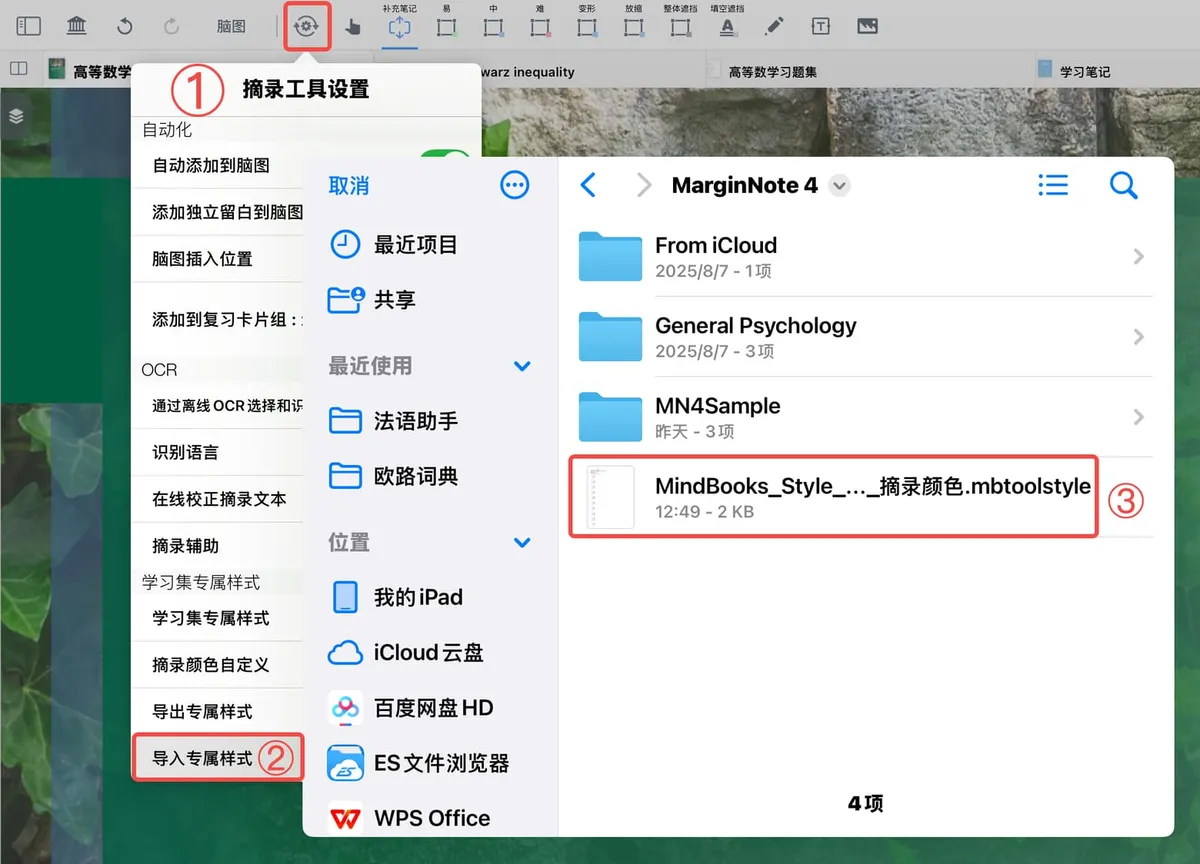
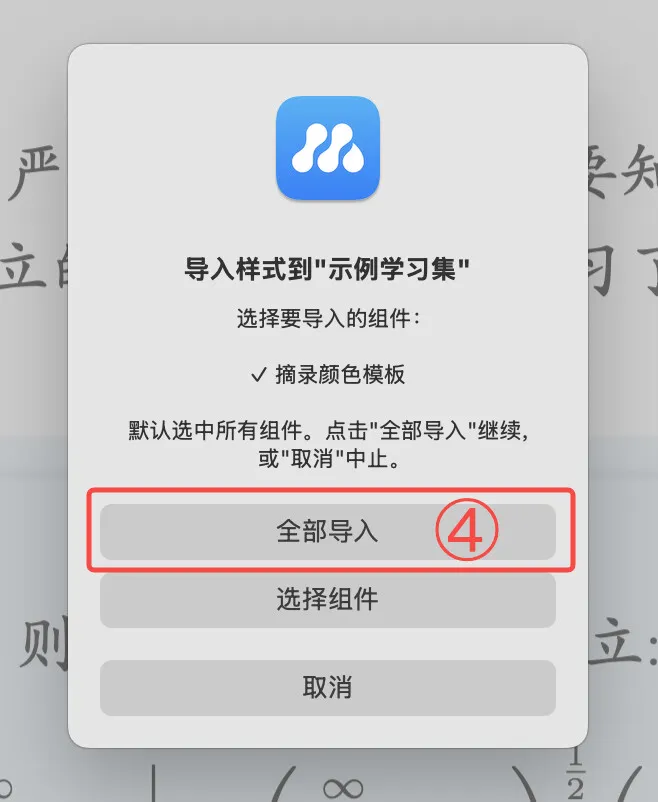
Tap ⚙️ Excerpt Tool Settings - turn on studyset-specific styles - tap import topic style, then choose a style file (.mbtoolstyle format) that contains an excerpt color template to import the excerpt color template component. For details, see: Studyset-Specific Styles: Build Your Own Personalized Study Space.
💡The MarginNote Material Center offers a rich selection of excerpt color templates (.mbtoolstyle format) that learners can download for free:
💡In addition to excerpt color templates, the Excerpt Tool, Handwriting Tool, and pop-up menu customization also support importing and exporting style files, so you can save and reuse your configurations. For details, see: Studyset-Specific Styles: Build Your Own Personalized Study Space