Card Link ⑤ | Inline Links
💡
Inline linksallow for more precise Card Link ④ | Keyword Title Links: Build Your Personal Dictionary, and they reduce the verbose comment clutter caused by Card Link ① | One-Way & Two-Way Links: Free Association Across Hierarchies, offering greater flexibility.
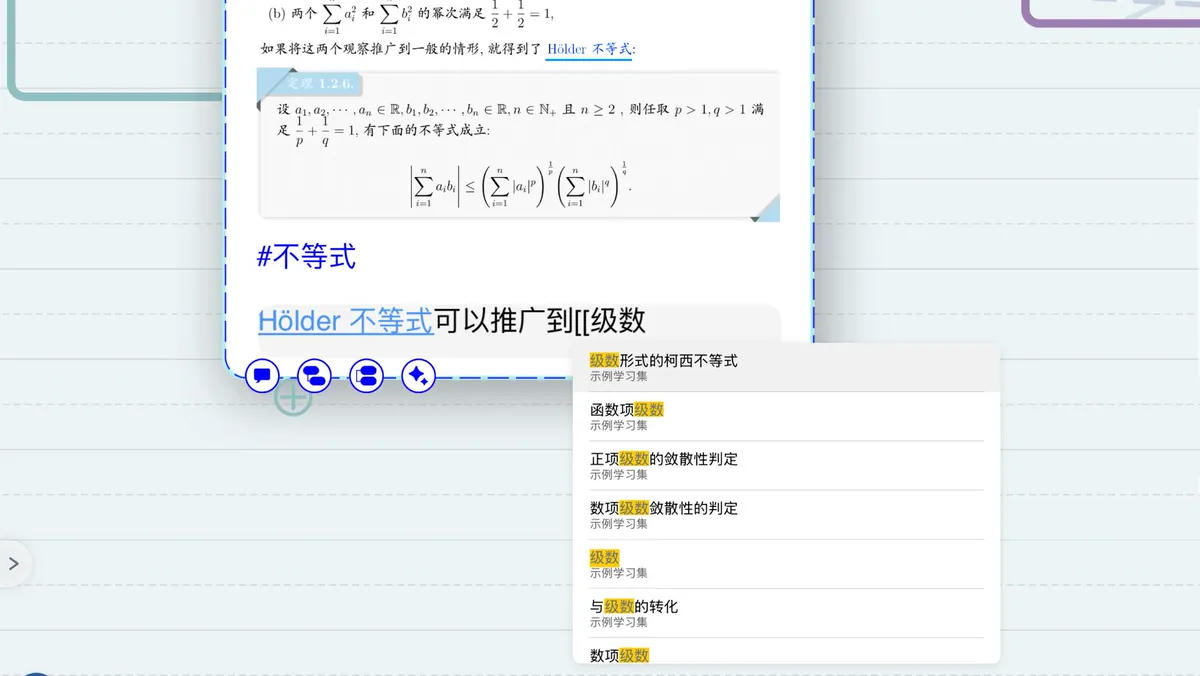
💡We recommend first mastering the features of Card Link ② | Card Unique ID & URL: Linking Across Mind Maps and Study Sets and Card Link ④ | Keyword Title Links: Build Your Personal Dictionary before studying inline links; this will give you a better understanding of all three link types.
1 Why Use Inline Links?
💡Have you ever run into the following situations:
- When writing a text comment in a card and you need to link to another card, you have to "exit the card editor" — "find the card to link to" — "reopen the card editor and keep writing," and you may even have to repeat this back and forth. It disrupts your train of thought and makes studying inefficient.
- You find that Card Link ④ | Keyword Title Links: Build Your Personal Dictionary covers too broad a range, making it impossible to link precisely to the exact card you want from within a comment.
Inline linksare the perfect tool for solving these pain points!
An inline link is essentially just a link using Markdown's []() syntax. From that angle alone, inline links are merely a part of Markdown and Formulas and wouldn't warrant a separate introduction. However, this syntax now supports MarginNote's native card URL links! And you can search for a card and link to it directly by manually typing [[.
2 How to Create Inline Links
💡Preparation:
Adding a comment
1. Tap the
Add Commenticon on a mind map card, or open thecard editor, then enter a text comment. 2. Before using inline links, tapMarkdownabove thekeyboard input barto make sure Markdown mode is enabled.
2.1 Inserting by Tapping the Icon
Inline link
-
After enabling
Markdown, anInline Linkbutton appears above thekeyboard input bar(as shown by the icon above).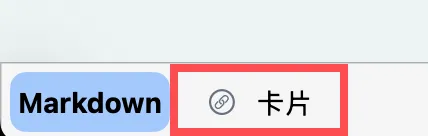
-
Move the keyboard's input cursor to where you want to insert the link, then tap the
Inline Linkicon.[[appears at the input position and triggers acard search box.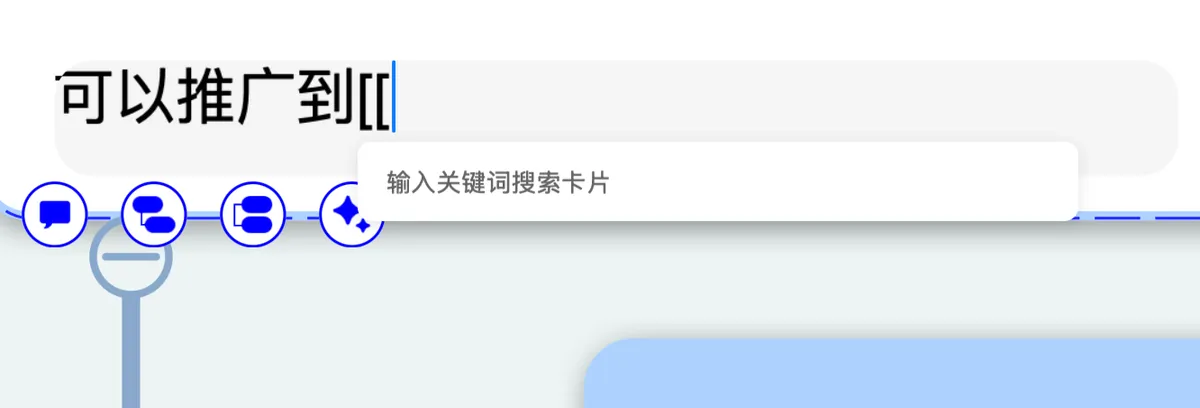
-
Just as with searching in the Zettelkasten-styled card box, entering a keyword brings up matching card search results for you to choose from.
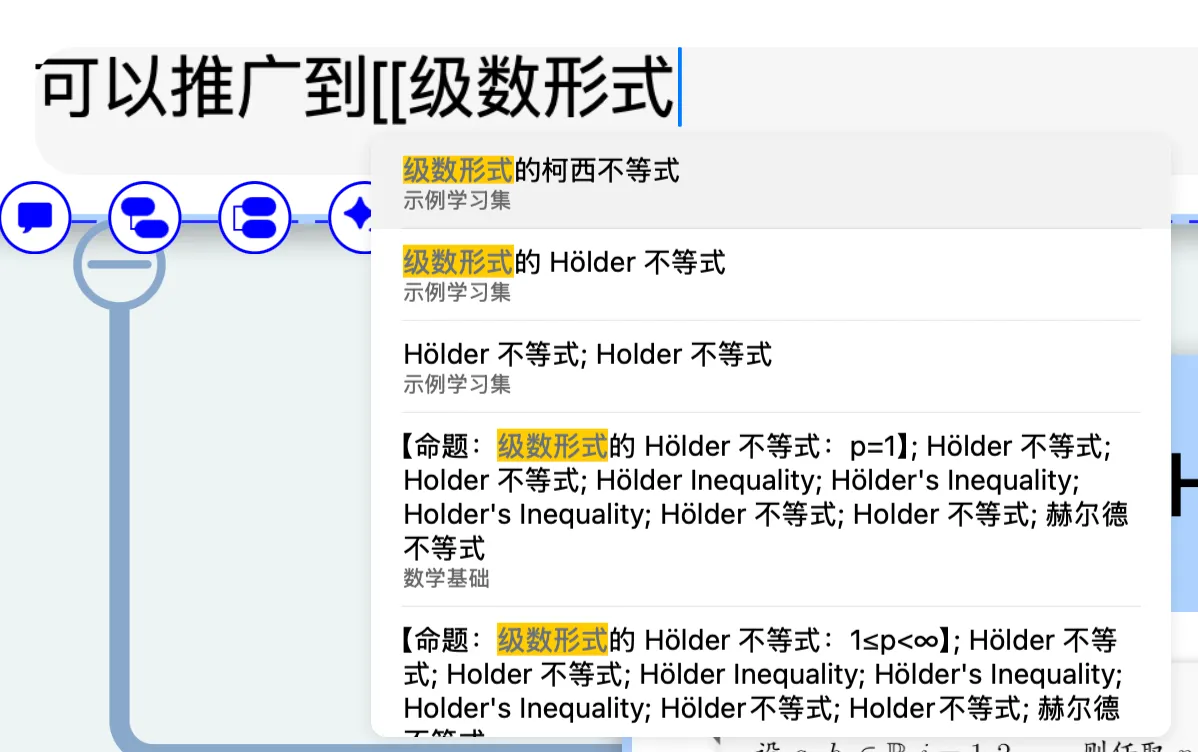
-
Select the target card, and after tapping it the inline link appears, with the display text defaulting to the card's title.
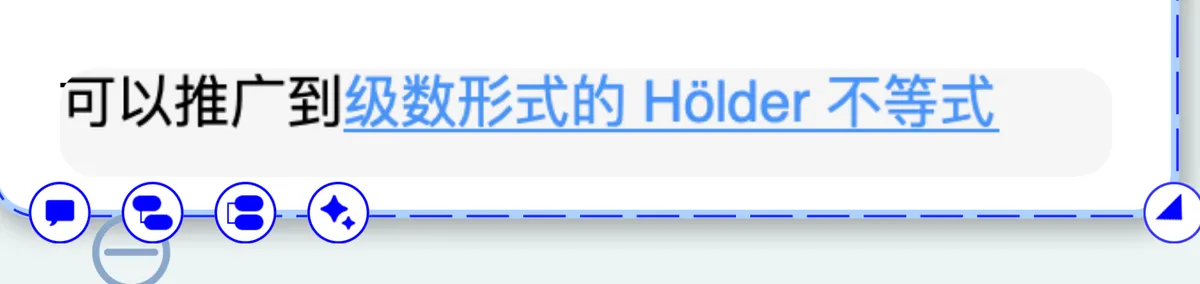
2.2 Manually Typing [[
In the tap-the-icon method above, we saw that once you move the keyboard's input cursor to the desired position and tap the Inline Link icon, [[ appears at the input position and triggers a card search box. In fact, you can trigger the inline link search function by manually typing two left square brackets; the subsequent steps are exactly the same.
2.3 Typing the []() Markdown Link Directly
In fact, both methods above are essentially equivalent to inserting a [<card title>](<card URL>) Markdown link. This is what we mentioned earlier: an inline link is essentially just a link using Markdown's []() syntax. From that angle alone, inline links are merely a part of Markdown and Formulas and wouldn't warrant a separate introduction. However, this syntax now supports MarginNote's native card URL links! And you can search for a card and link to it directly by manually typing [[. So you can also create an inline link by manually typing a Markdown-format link, where the question is how to obtain the card URL
💡A classic use case for this method:
When you've already found the card you want to link to in the mind map, there's no need to manually type
[[to search for it "remotely."
3 The Effect of Inline Links
The visual effect of inline links is basically the same as that of Card Link ④ | Keyword Title Links: Build Your Personal Dictionary:
- The text is highlighted but has no underline (whereas Card Link ④ | Keyword Title Links: Build Your Personal Dictionary does have an underline).
-
After tapping (or hovering the mouse on Mac), a preview popup of the card appears, where you can choose to locate it within the popup or open the
card editorto edit it.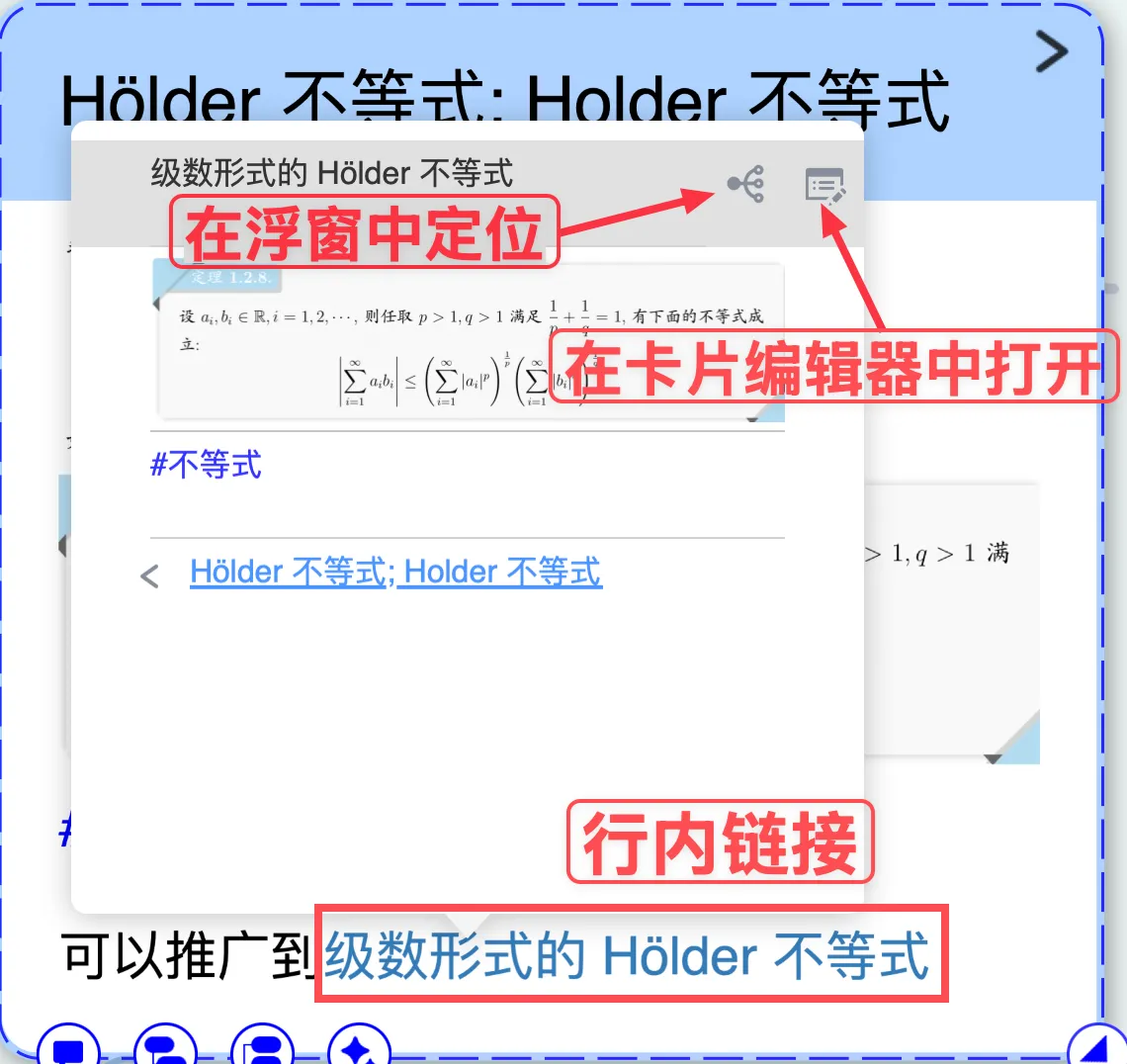
But the biggest distinguishing feature of inline links is:
- They display custom-entered text instead of the card's title.
- Rather than the truncated appearance of a card link, they produce the same wiki-link effect as a title link, integrated with the body text
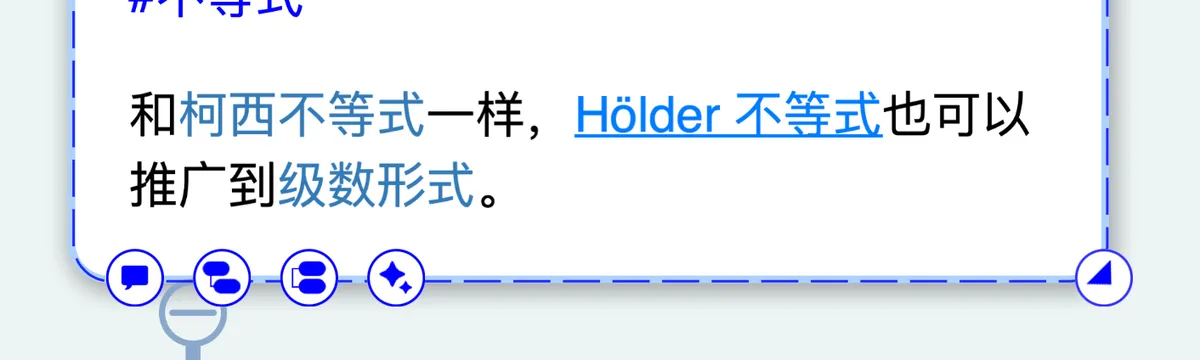
4 Advanced: Plugin Assistance
You may find the method of directly typing the []() Markdown link mentioned above a bit cumbersome. In fact, we can use a plugin to help wrap inline links for us—for example, using a popup to quickly enter the reference term. However, plugin development is beyond the scope of this page; interested users can study MarginNote's plugin development.